Template catalogue
Create processing activities from a catalogue of templates, for example for HR, marketing and finance.
Modules
.legal AI
All AI features →Integrations
See all integrations →Platform & features
Understand the rules
See it in action
All customer stories →Plan your switch
Stay up to date
The Data Protection module
Keep your Article 30 record, find data processors without an agreement and create processing activities from templates. Your DPIA is based on a built-in template in the audit engine that comes with Vendor Management.
The GDPR requires you to document how you process personal data: a record of processing activities under Article 30, agreements with your data processors and a legal basis for each processing activity. What the GDPR requirements mean is explained in our guide. This page shows how you document them in the Data Protection module in .legal.
What the module covers
Choose an area to see what you can do in .legal.
Keep your Article 30 record as a controller and as a processor. The record is shown per group company, and you can always export it to Excel.
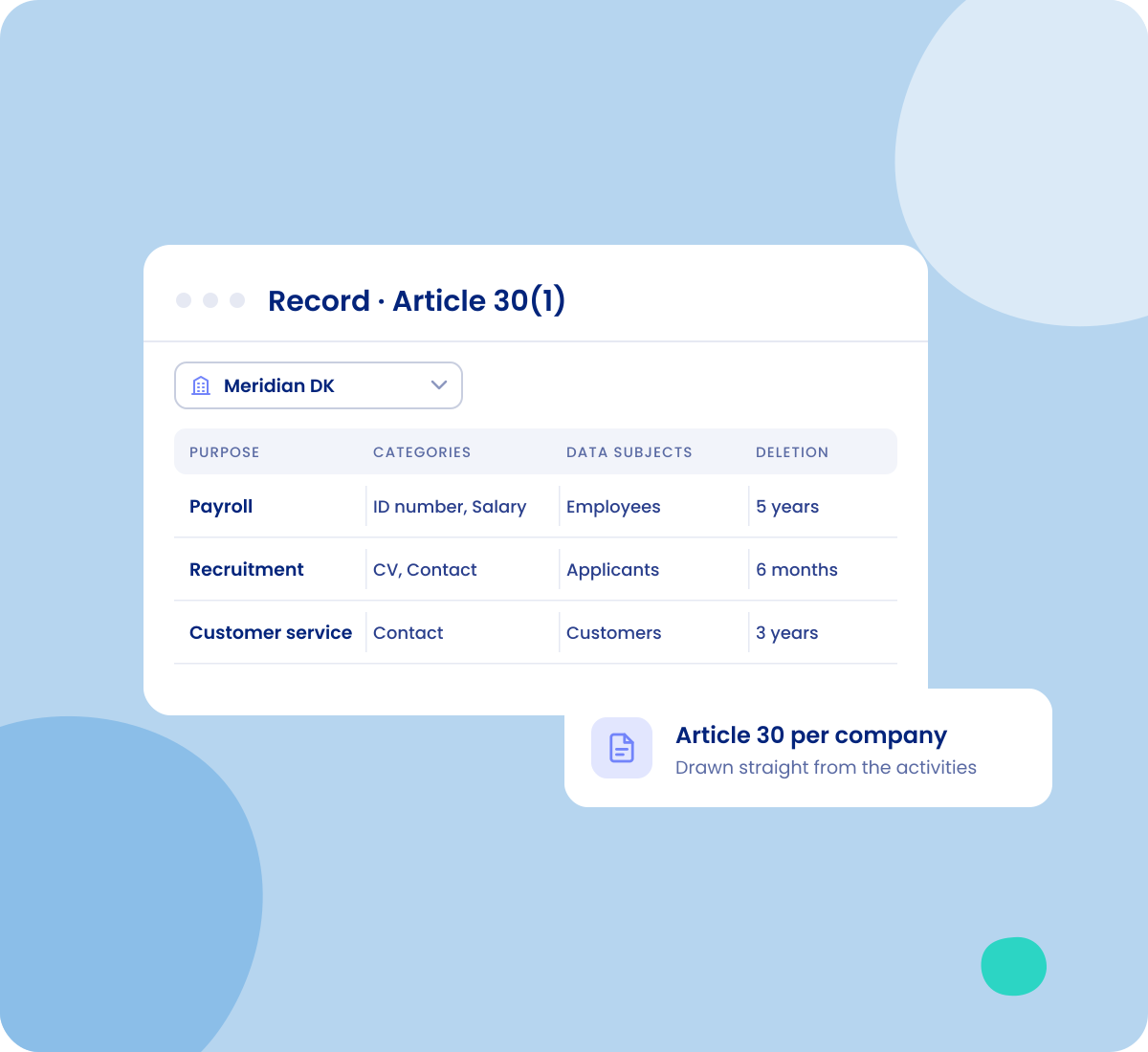
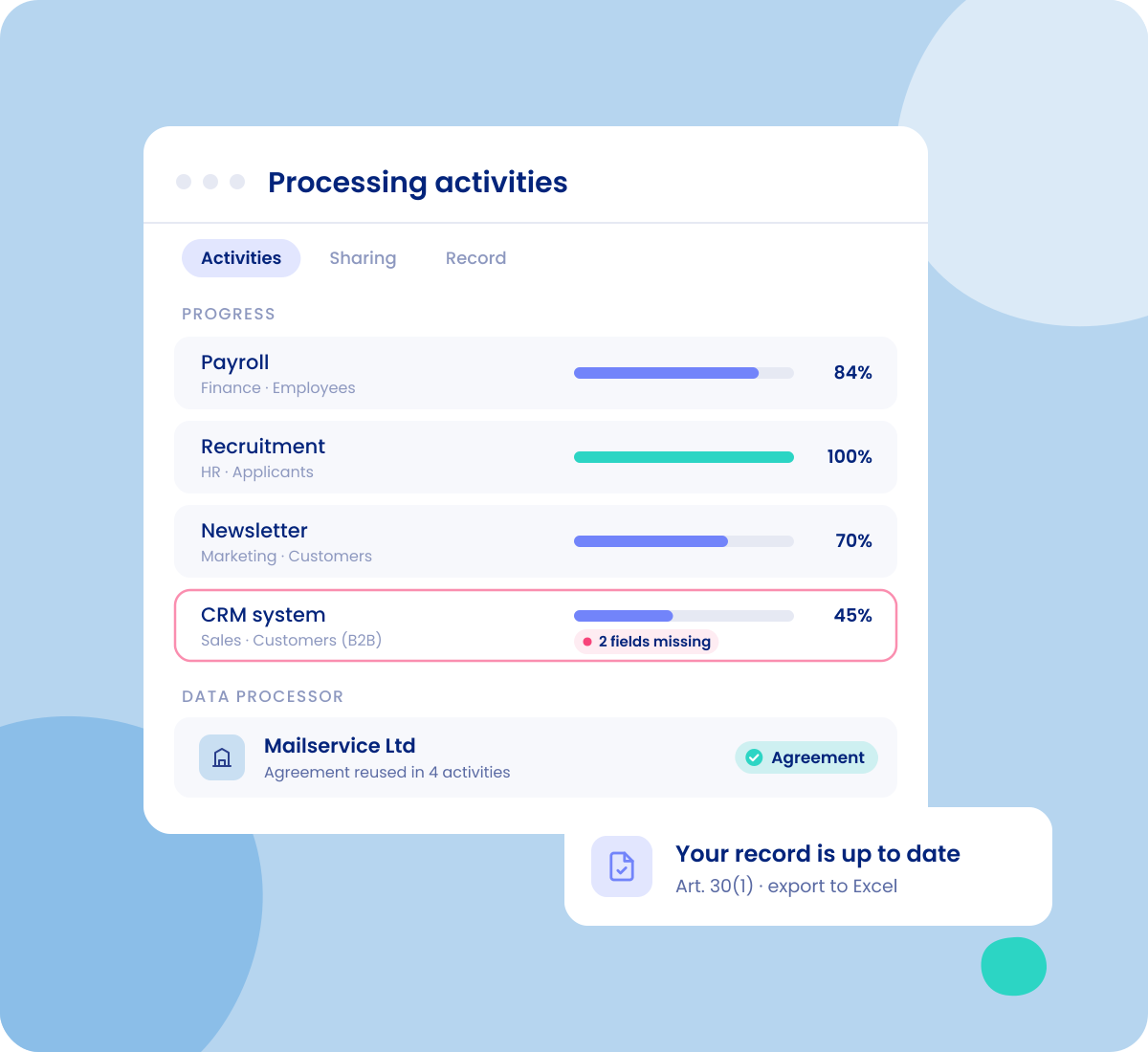
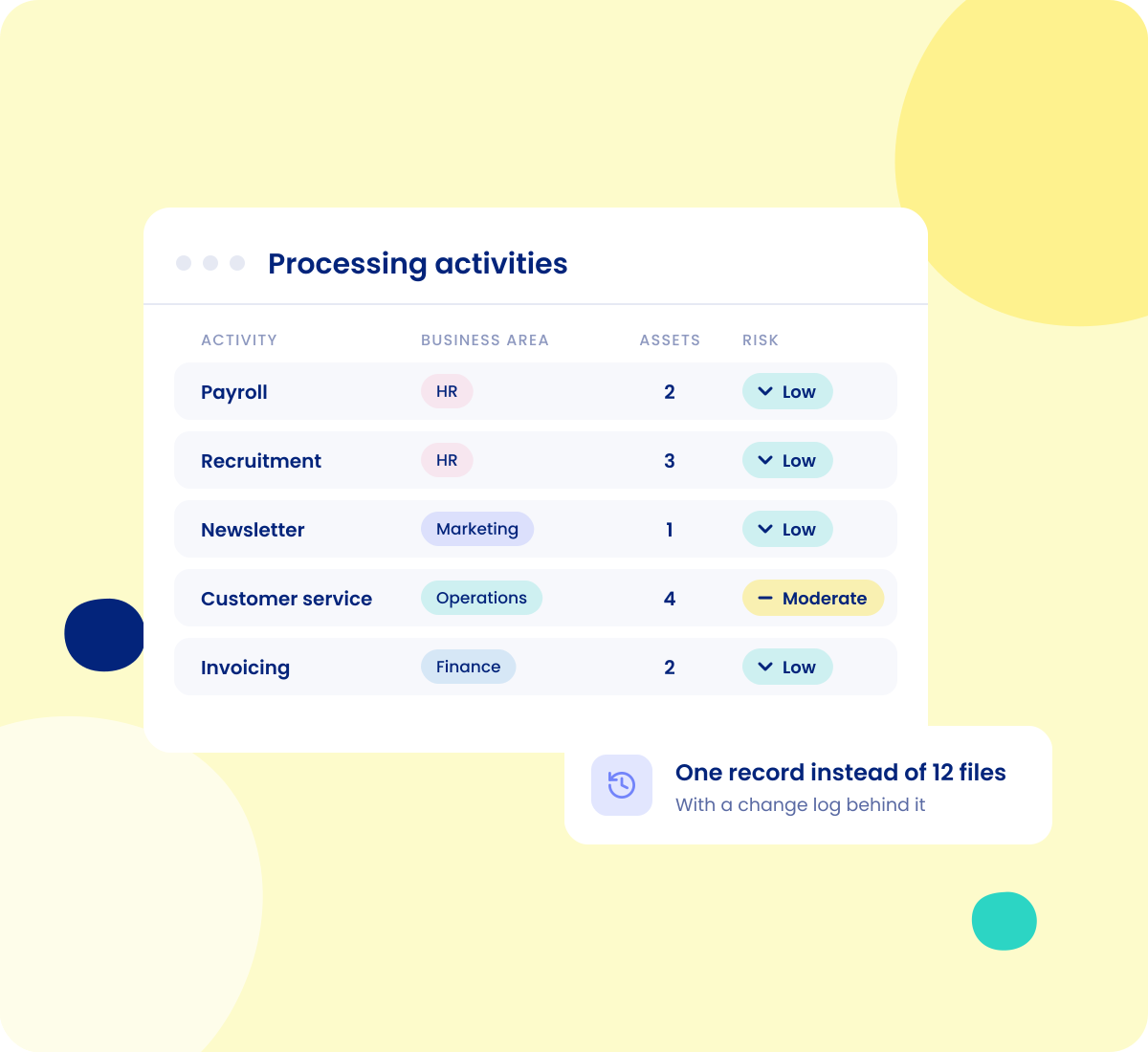
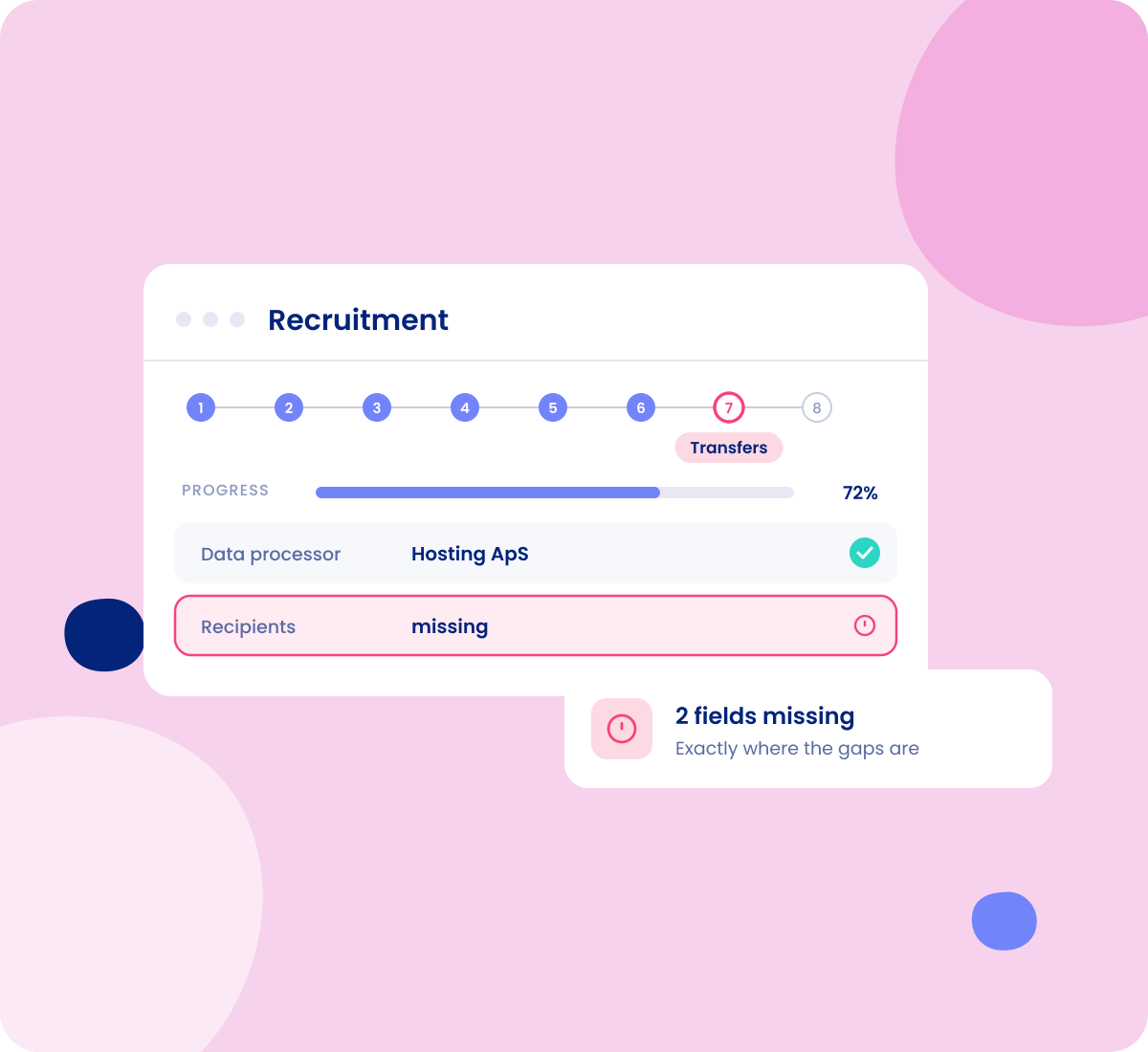
Create processing activities from a catalogue of templates, for example for HR, marketing and finance. Document them in a step-by-step flow where a progress bar and red markers show which fields are missing.
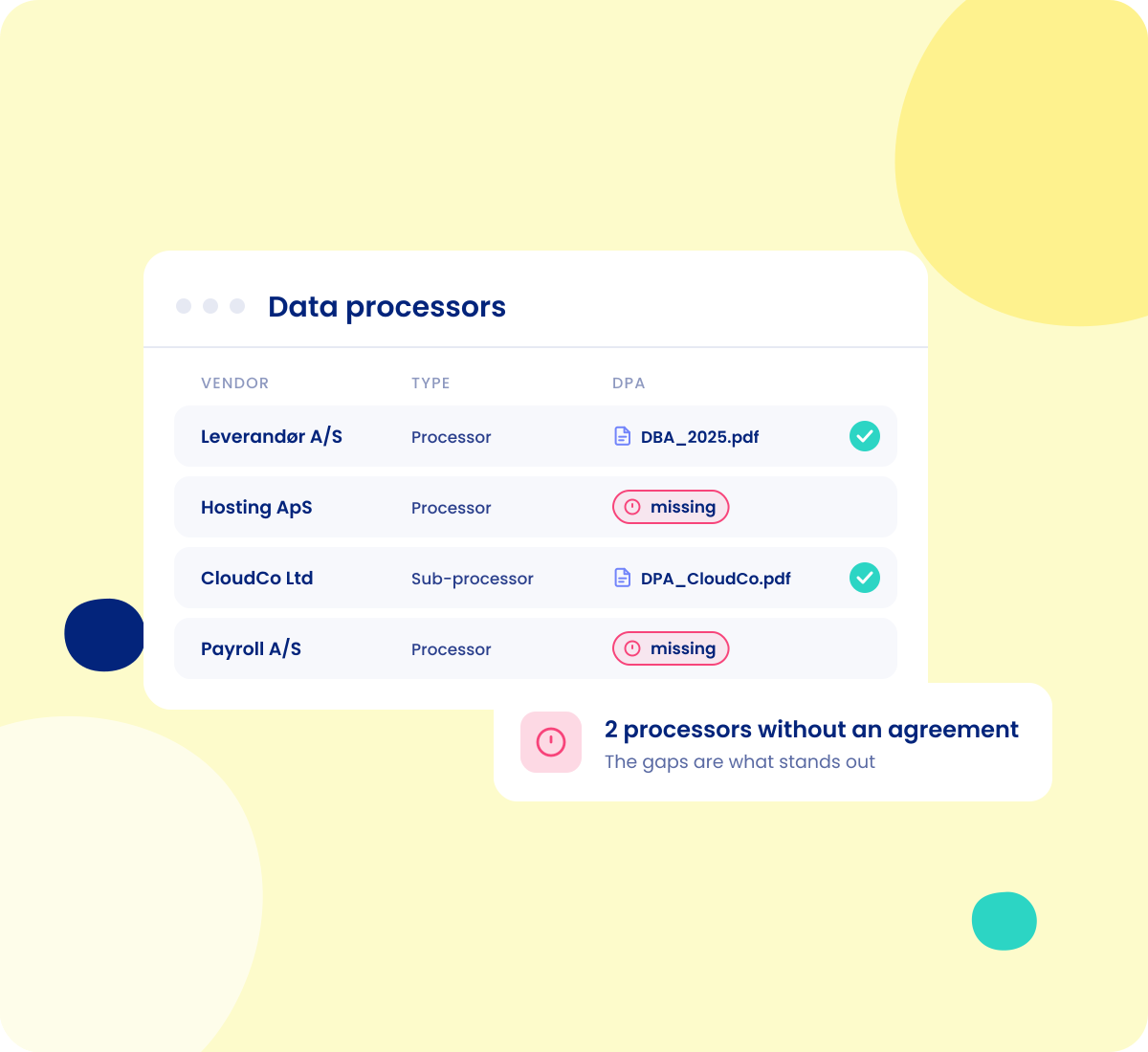
Map how processing activities, systems and data processors connect, and find the processors that have no agreement. Add a data processing agreement to a system once, and it is reused on every processing activity that uses the system.
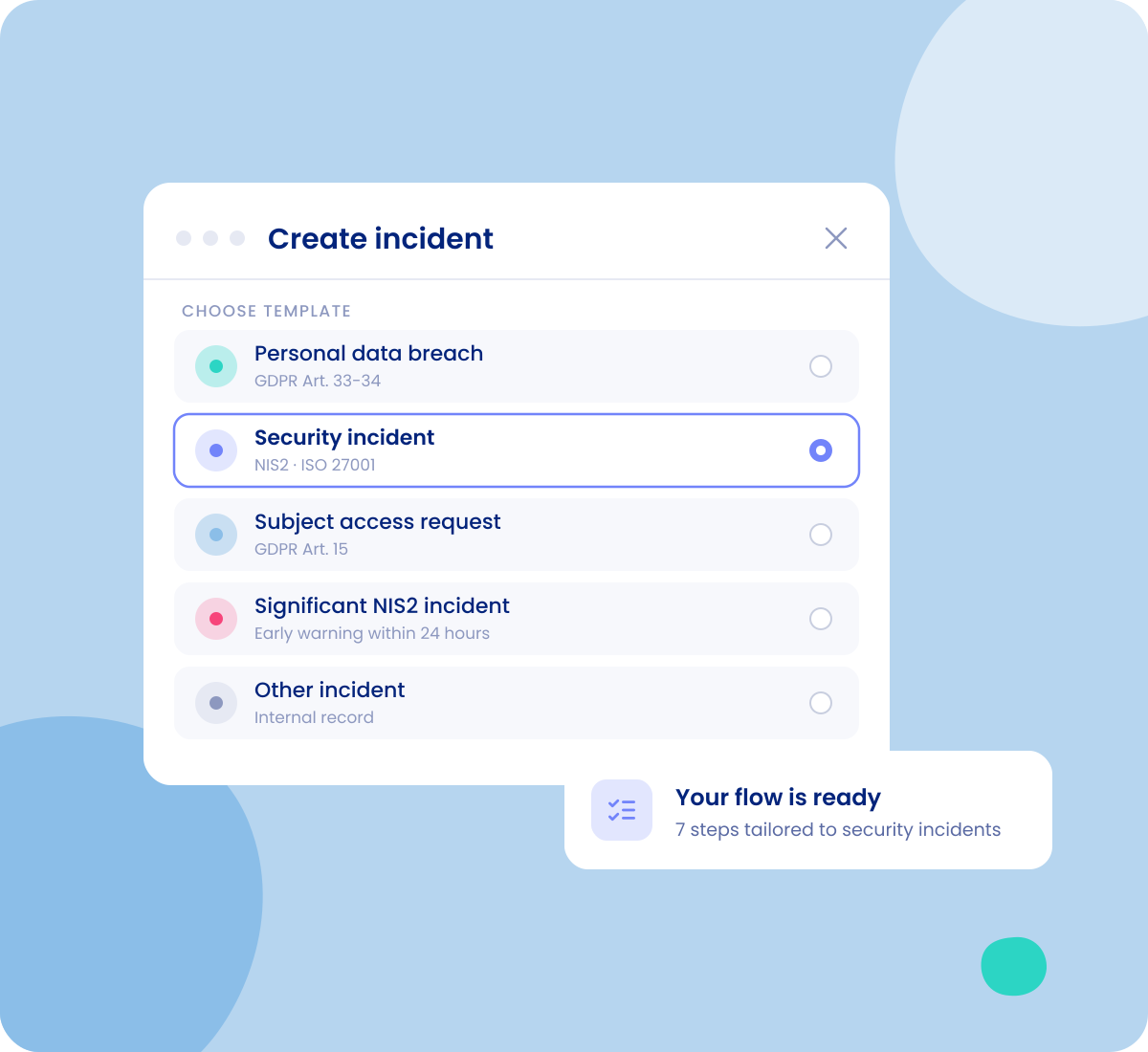
Record personal data breaches and subject access requests in the incident log with the standard templates that come with Data Protection. You notify the supervisory authority yourselves.
Transfers are documented on the processing activity. For a transfer to an unsafe third country, the platform asks for a TIA and the transfer mechanism, and red markers show what is missing.
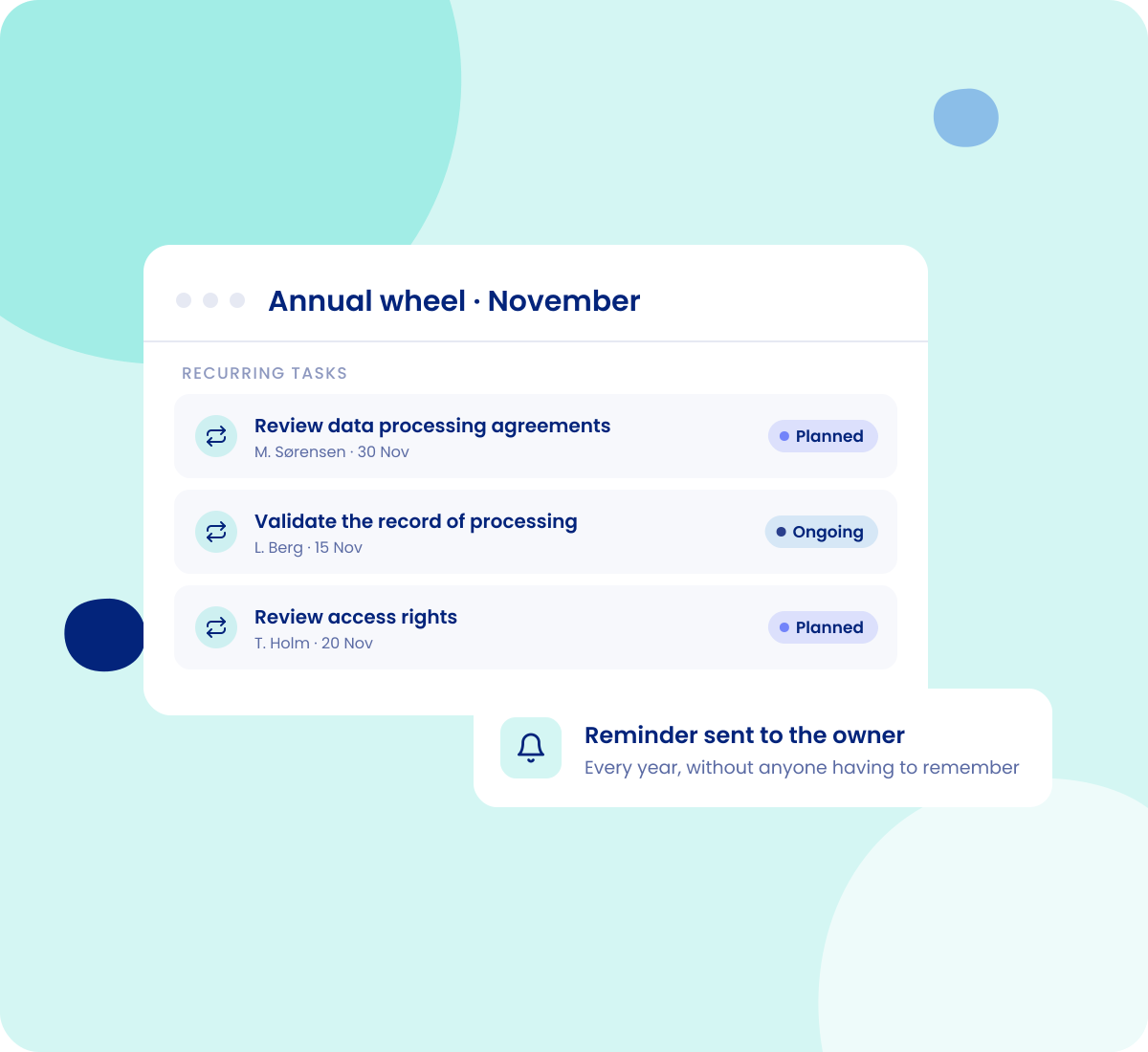
Plan your recurring GDPR work from a catalogue of 56 standard GDPR activities, such as reviewing the privacy policy.
Requirements and the platform
One card per requirement: the article, where you document it in .legal and where to read more.
Create processing activities from a catalogue of templates, for example for HR, marketing and finance.
Document a processing activity step by step. A progress bar and red markers show which fields are missing.
With validation switched on, the platform sends reminders to the person responsible.
Export your Article 30 record to Excel whenever you need it.
Every change to a processing activity is kept in a full change log.
For a transfer to an unsafe third country, the platform asks for a TIA and the transfer mechanism.
A walkthrough of how you create processing activities from templates and build your record in the platform.
Book a demoBefore and after
| Before .legal | With .legal |
|---|---|
| Before .legalThe record lives in a spreadsheet with one tab per company | With .legalThe Article 30 record as controller and processor, per group company |
| Before .legalNobody can see what is missing from a processing activity | With .legalA progress bar and red markers on the fields that are missing |
| Before .legalData processing agreements are scattered across emails and folders | With .legalProcessors without an agreement are listed, and an agreement is added to the system once |
| Before .legalNobody knows who changed what | With .legalA full change log on every processing activity |
| Before .legalReminders to review the record go out by email | With .legalA validation flow with reminders to the person responsible |
Alongside the documentation in Data Protection, you can work with the GDPR as controls and tasks in the GDPR framework. It comes in two variants, one for controllers and one for processors, on the same platform as your other frameworks.
Specific GDPR tasks, described as they happen in the platform.

25 use cases
No use cases match that combination yet. Try removing a filter.
It just works! It is so easy and user-friendly, and the overview of processing activities is brilliant.
Tinna Schultz
HR manager, Min By Media
Read the Min By Media case
Firstly, it means that not all the work is in one place (me), and secondly, that the understanding of GDPR is implemented throughout the organisation.
Nanna Rodian Christensen
HR & Operational Manager, Molecule Consultancy
Read the Molecule Consultancy case
Try it free
The free plan has no time limit, and the price is per organisation, not per user. See what each plan includes on the pricing page.
See plans and pricingGDPR software
Guides, terms and videos about GDPR, all in one place.
Guides and articles
GDPR compliance guide
GDPR compliance means your organisation processes personal data in line with the General Data Protection Regulation and can demonstrate that it does.
Read the article →
Compliance Checklist: How to be GDPR Compliant
Keep reading if you want guidance and checklists for implementing the GDPR in your organisation.
In this article, we will guide you through the steps to transform your organisation from non-compliant to GDPR-compliant by establishing a GDPR project within your organisation and implementing the change.
Read the article →
GDPR Compliance Checklist | Part 2: Recurring Tasks
Once you’ve implemented GDPR in your organisation, the focus shifts from setup to staying GDPR compliant.
Read the article →

Right to be Informed | GDPR Guide
Data Subjects have the right to be informed about your processing of the personal data.
Read the article →

What Are Processing Activities?
Even small companies are likely to have more than 10 processing activities, so it's important to define these in a way that aligns with their everyday operations for better compliance results.
Read the article →
Third Country Transfers of Personal Data
When you transfer personal data to countries outside the EU/EEA, you must comply with the GDPR rules on third country transfers. Get a full overview of adequate and non-adequate countries, transfer mechanisms and practical requirements.
Read the article →
GDPR terms in the dictionary
See it in the platform
GDPR documentation sits in the Data Protection module. The cost depends on your plan and modules, and it is on the pricing page. The price is per organisation, not per user, so you get unlimited users. There is also a free plan with no time limit.
See pricingIn a spreadsheet it is hard to see what is missing and who changed what. In .legal, a progress bar and red markers show the fields that are missing, and every change to a processing activity is kept in a full change log. You can still export the record to Excel.
Yes. .legal has carried out more than 50 migrations, from spreadsheets, Word and shared drives as well as from other GDPR systems. You are typically up and running within about two weeks, and onboarding and support are included in the price.

.legal holds an ISAE 3402 type 2 assurance report on IT security and an ISAE 3000 type 2 report on GDPR. Data is hosted in the EU.
Yes. You can keep the Article 30 record as a controller and as a processor, per group company, and the GDPR framework has a variant for each role. Which role you have in a given processing activity is your own assessment.
See the GDPR frameworkNo. You notify the supervisory authority yourselves. In .legal you record the breach with the standard Personal data breach template, including when it happened and when it was notified. You hold those times against the deadline yourselves.
Yes, from a built-in DPIA template based on ENISA's template for impact assessments. The template sits in the audit engine that comes with Vendor Management. The content and the assessments in the DPIA are your own.
Read about DPIAs